
Two runs.
One video.
From one coach to another
— made with a passion for better coaching.
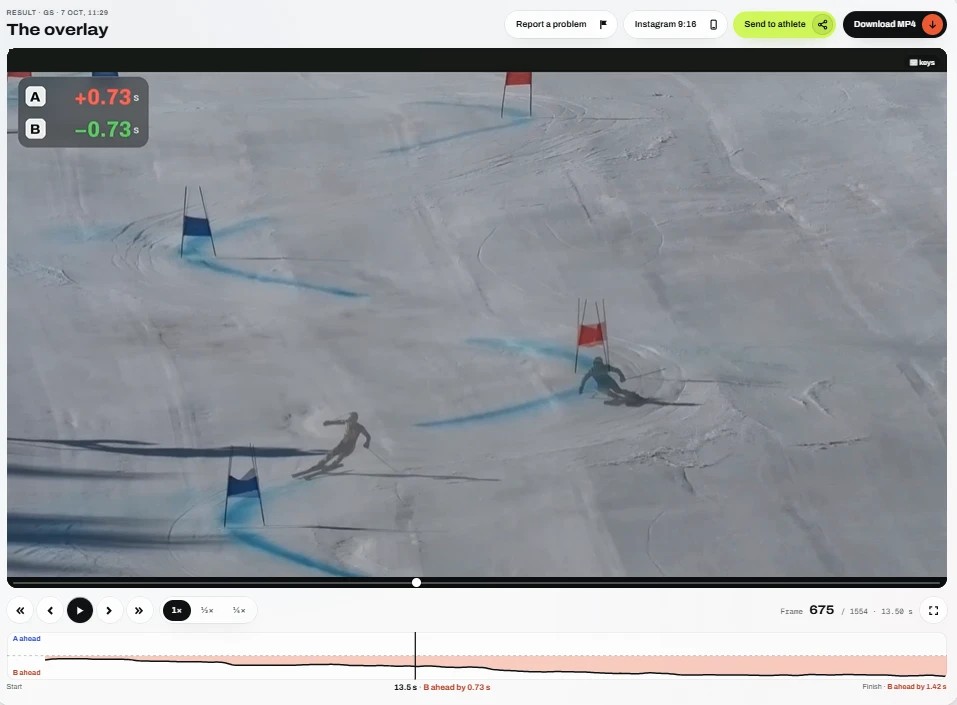
Three steps.
About a minute.
Upload (at least 720p, 1080p recommended · more fps = smoother: 60 > 30 > 24)
Two videos of the same course: A is the main run (its camera view is used for the overlay), B is the ghost run.
- Both runs filmed from the same spot — e.g. athlete A's 1st run vs athlete B's 1st run.
- Not runs filmed from different spots — e.g. A's 1st run, and B's 4th run filmed after you changed your spot. Even a few metres changes the perspective, so the runs won't line up well.
- Zoom is fine — even a big difference in zoom between the videos works well.
Mark the start and cut the end
Step frame by frame to the same moment in both runs — for example crossing the start gate.
- Cut the end too — e.g. when the camera turns to the snow before you stop recording. Shorter videos render faster and give the overlay fewer chances to go wrong.
Overlay
The program aligns both runs and renders one video with both skiers. Usually 1–2 minutes. Download the MP4 or send a link to your athlete.
Example overlays
from our users.
All of these were filmed handheld, with different zoom in each run — no tripod, nothing staged.
Fog, night,
indoor halls.
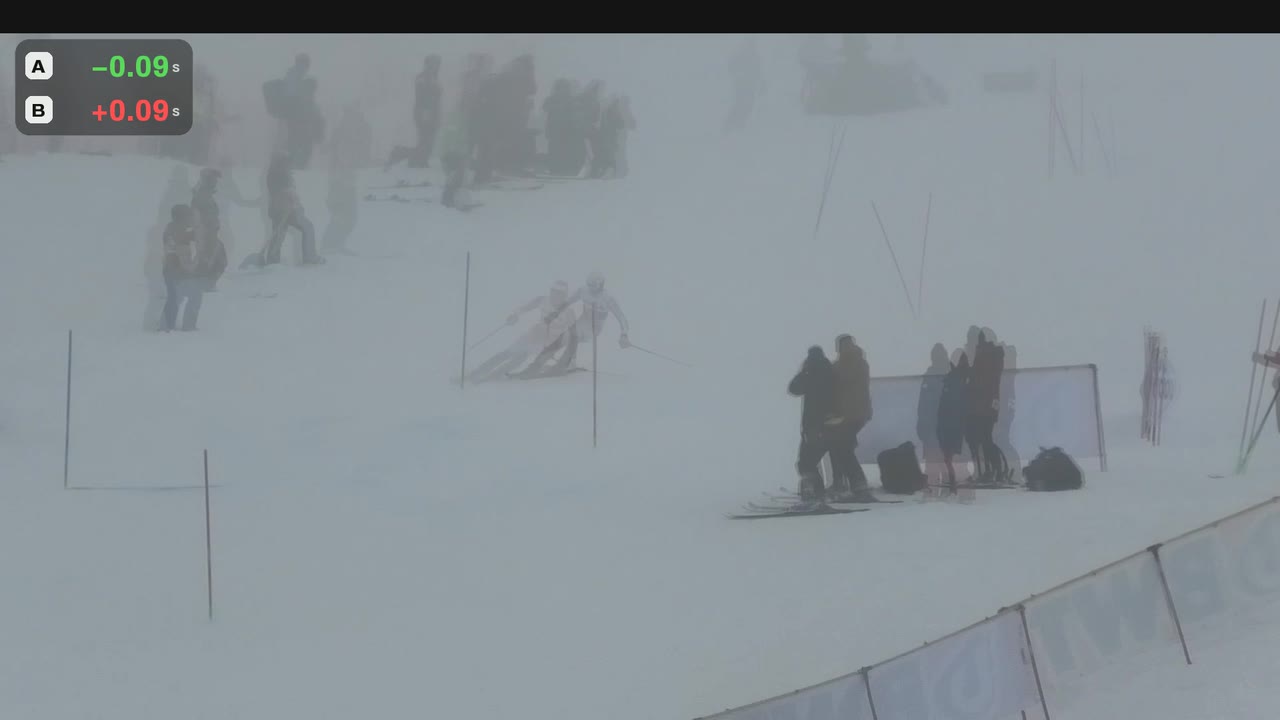
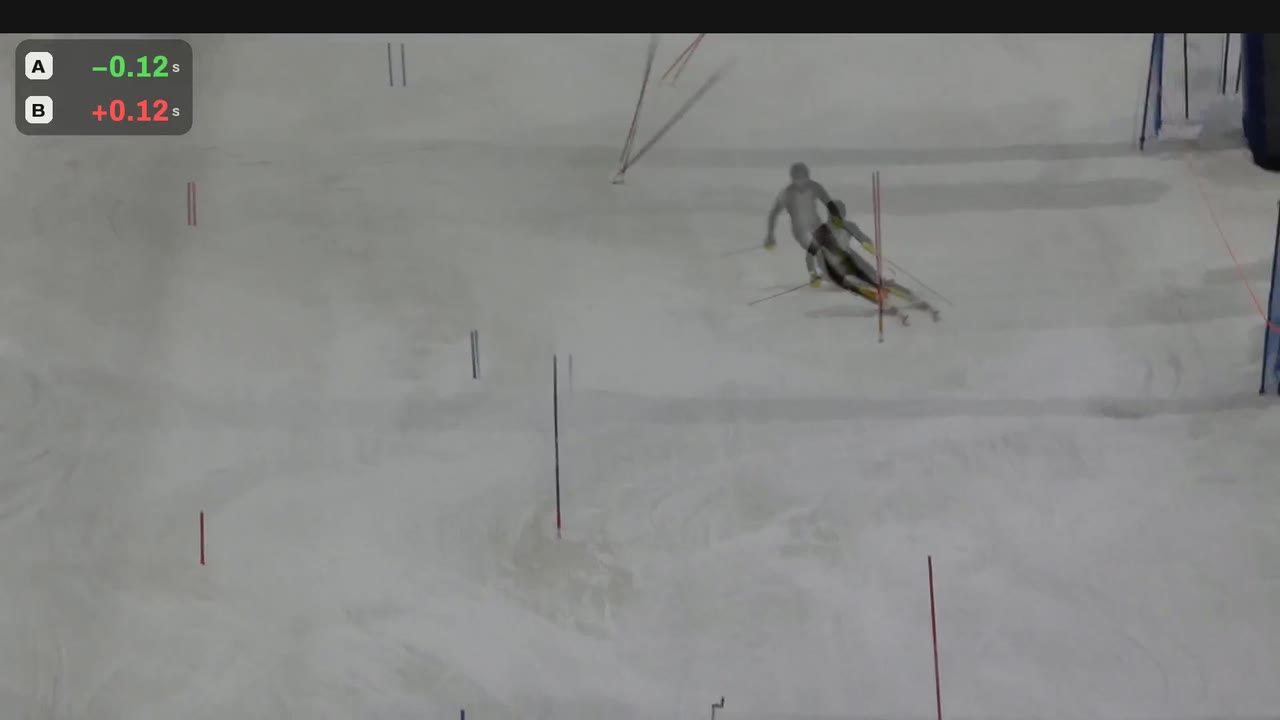
See where the run is won — and lost.
What a mistake really cost
See how much time you lost on a mistake compared to the other run.
Where exactly time is lost
Speed on the flats, a different line, an early or late turn — both skiers in one shot, like a head-to-head race.
Live timing at every turn
The time difference between the two runs at every turn, like split times at each gate.
How fast up to any moment
Stop at any frame and see who's ahead at that point of the course, and by how much.
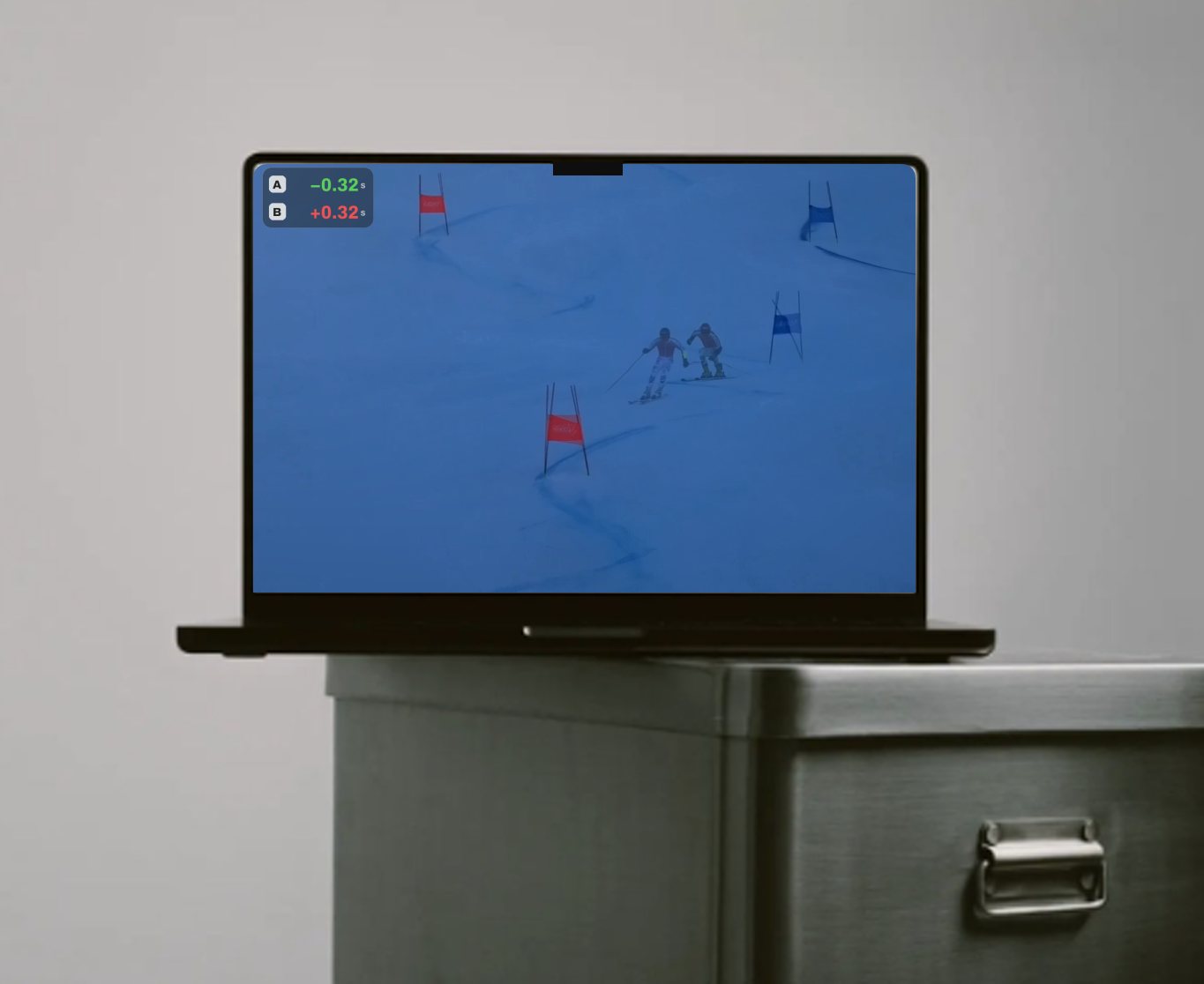
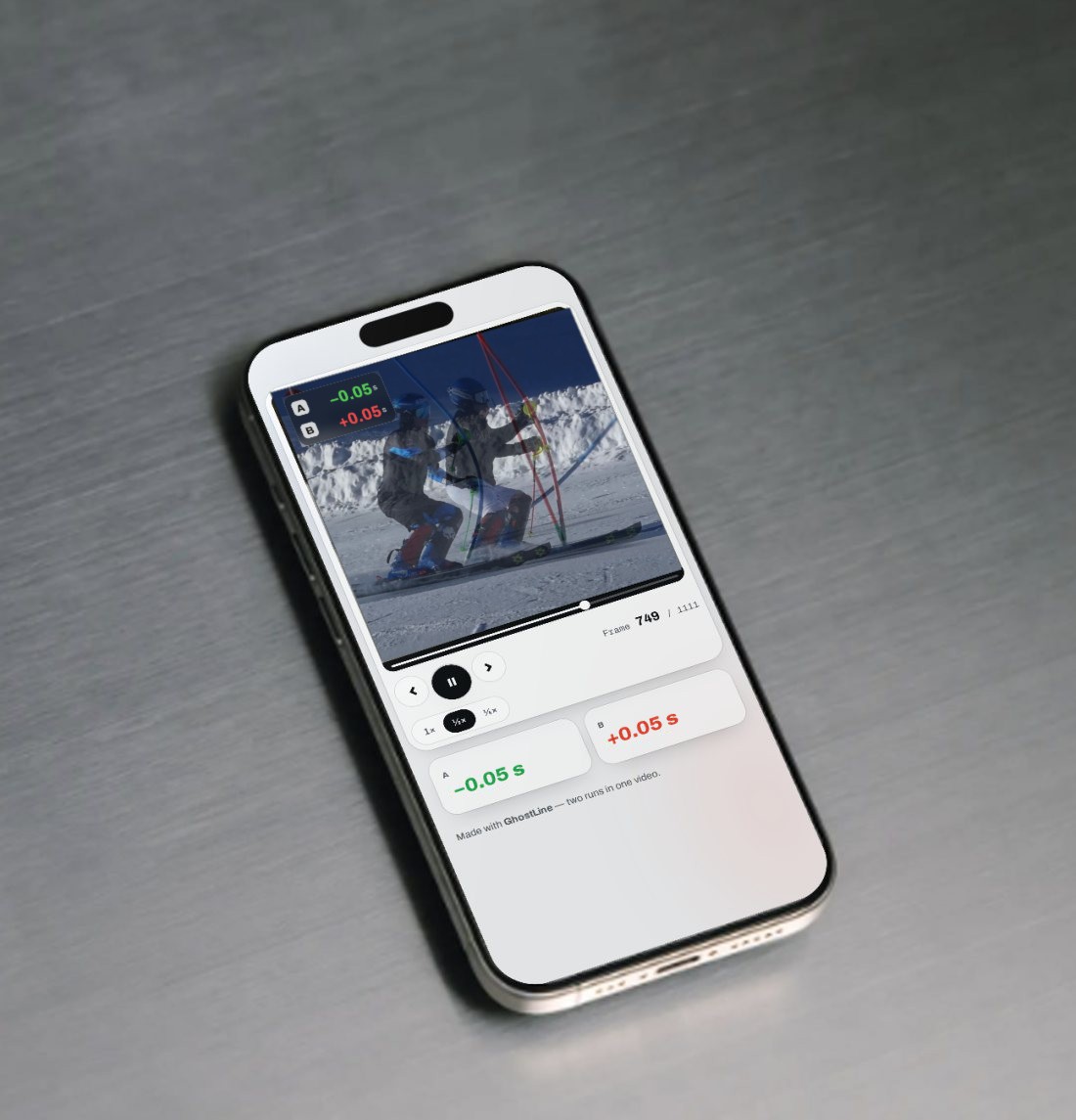
Works on your phone too. Perfect for comparing the 1st and 2nd run right on the slope — between runs at a race.
Pricing
One thing, done really well: two runs in one video, aligned together.
On your own runs — for new and existing accounts.
Create a free account Already have an account? Log inClubs and companies can buy with their VAT number and get an invoice in the company’s name.
Buying from the United Kingdom? Individuals pay UK VAT (20%) on top; businesses buy with their VAT number, without VAT.
Storage — every training video, named and sorted.
Upload the whole training. Each video lands in the right day and gets the athlete’s name — from your voice. No more evenings renaming files.
From 150 € / year · 500 GB to 3 TB
Explore Storage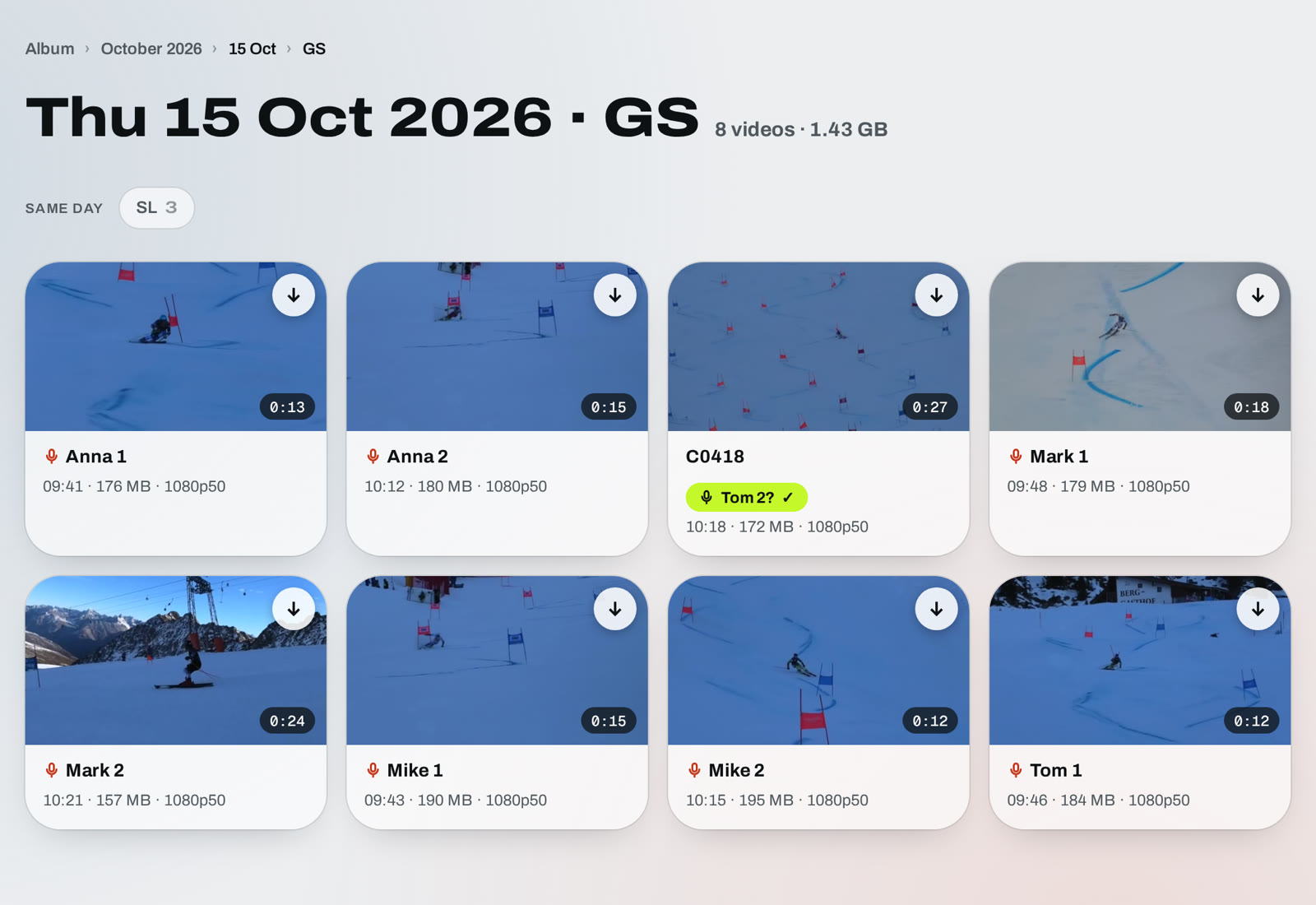
Questions?
Write to us.
Send us a message
Questions about GhostLine, a club or team offer, or a video that didn't work out — we'll reply by email. Or write to hello@ghostline.ski.
FAQ
How should I film?
1. Film every run from the same spot. Pick one place for the whole training — next to a gate, a pole or a fence post — and film each run from there. You can move around between runs, just come back to the same spot to film. Then you can pair any two runs from that training, for example athlete A's 3rd run with athlete B's 1st. If you move even 4 to 5 metres between runs, the view changes and the runs no longer line up well. Zoom as you normally would — a big difference in zoom between the two videos is fine.
2. Upload the original file in good quality. Film in at least 720p (1080p or 4K is better). A 30-second run is usually 50 MB or more. A very small file, like 10 MB for 30 s, has lost too much detail and can make the runs match wrongly. Don't send videos through messaging apps first — they shrink them.
Which videos can I upload?
Normal videos from a camera or a phone, for example MP4 or MOV, also HEVC. Up to 3 GB per file. Upload the original files — videos sent through WhatsApp or downloaded from social media are heavily compressed and give less accurate overlays.
How long does it take?
Usually 1 to 2 minutes for giant slalom. Slalom takes a bit longer, usually 1 to 3 minutes. You can leave the page while it works.
What counts as one overlay?
One pair of runs turned into one video.
What if an overlay does not work?
If something goes wrong while it is being made, it is not counted and you can try again. If the finished video does not look right, use Report a problem under the video. After we check it, you get the credit back.
Can a club or a company buy?
Yes. Enter the company’s VAT number at checkout — you get an invoice in the company’s name. Businesses from the EU (outside Poland) and the UK: reverse charge.
Can I buy from the United Kingdom?
Yes. When you buy, answer “Yes” to “Is your billing address in the United Kingdom?” — UK VAT (20%) is added at checkout. Businesses can buy with their company’s VAT number, without VAT.
What are the limits of Individual?
There is no monthly overlay count. To keep overlays fast for everyone, Individual makes one overlay at a time and up to 8 in 12 hours.
What does the first-month discount mean?
If you haven’t had a plan before, your first month with monthly billing costs 27 € instead of 45 € (40% off). After that it’s 45 € a month, and you can cancel anytime.
Can you add a feature just for our team?
Yes — for big teams and academies we can add a feature to your account, for example a special export, extra information on the overlay or a way of working that fits your team. Write to us at hello@ghostline.ski and we’ll talk it through.
Can I download the video?
Yes, as an MP4 file that you can keep or share.
Can I cancel my plan?
Yes, any time in Account → Manage billing. Your plan stays active until the end of the period you’ve paid for.
Not ready for a plan?
Try GhostLine with the starter pack: 3 overlays for 9 €, a one-off payment with no subscription. Starter overlays don’t expire.
Who can see my videos?
Only you. Every account sees only its own pairs. You decide when to send a link to an athlete.
How long do you keep my videos?
Your overlays and the trimmed videos stay in your account while your overlay plan is active (without a plan, for example with a Starter pack, until you delete them). The original uploads are deleted after 30 days to save space — you can still watch and download everything, but to change the start or the end you need to upload the video again. If your plan ends, you can still watch and download your pairs for 7 days; after that they are deleted. Without a plan, the videos of your first pair are kept for 7 days — buy a plan or a Starter pack to create its overlay and keep it. Videos in your Album (Storage) are kept in full quality while your storage plan is active, and also for 7 days after it ends.