
No more evenings naming videos.
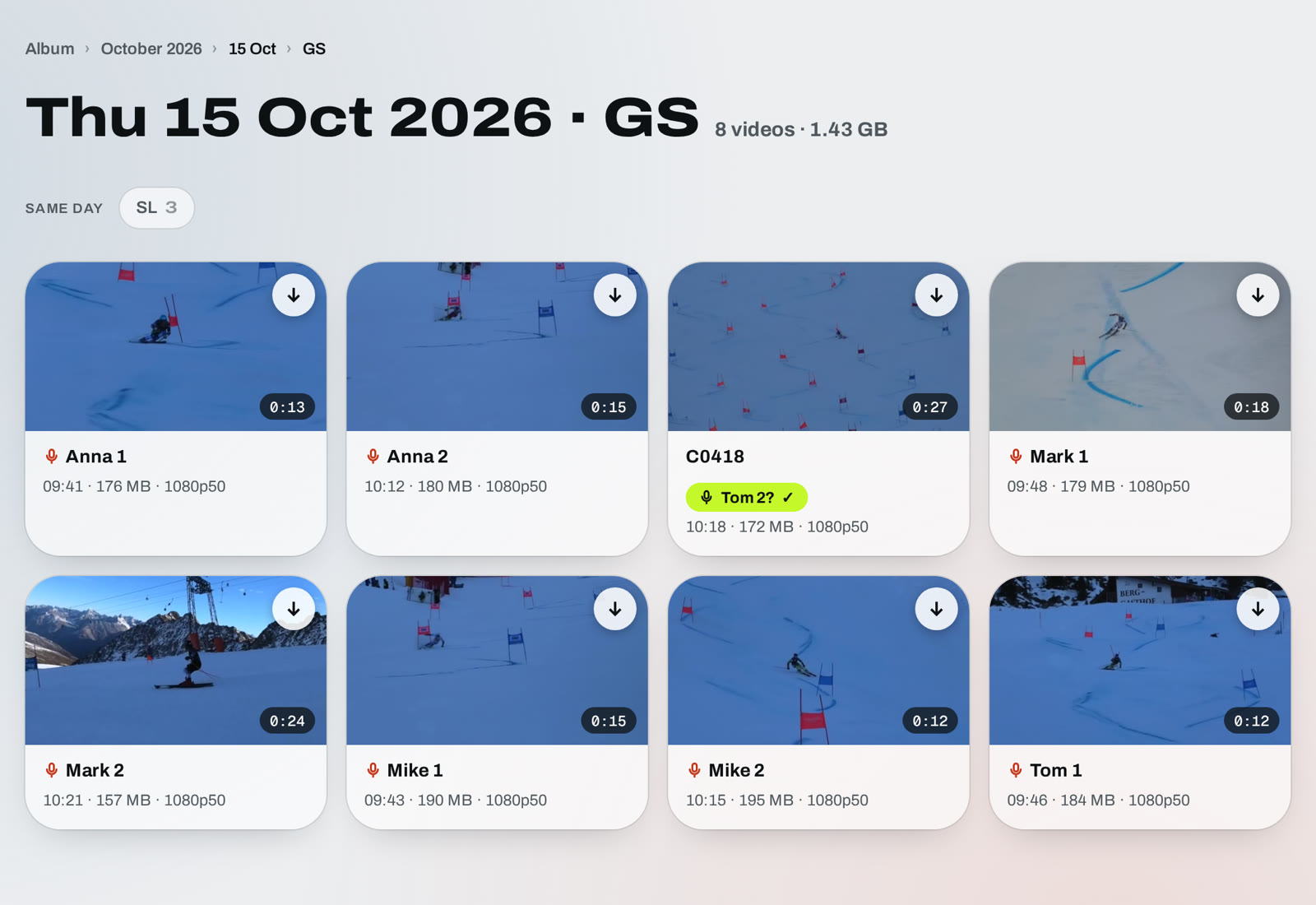
Upload the whole training. Every video lands in the right day and gets the athlete’s name — from your voice.
One click — and it’s all done by itself.
Three things
it does for you.
Sorted by itself.
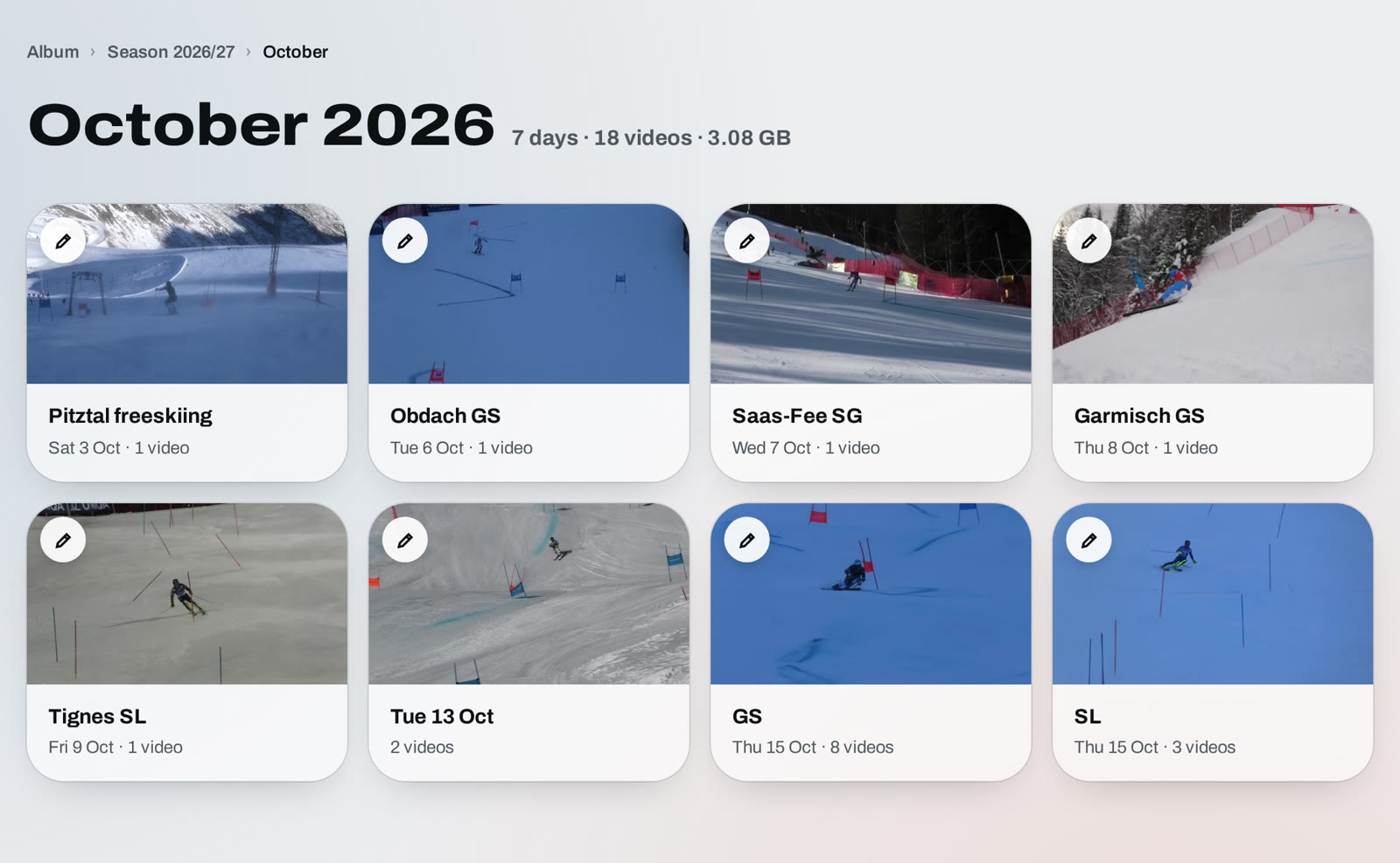
Every video goes into the right season, month and day — straight from the date your camera records. Nothing to drag, nothing to sort.
- Just set the correct date and time on your camera once.
Named from your voice.
At the start of each recording, say who is skiing and which run. GhostLine listens and names the video for you — Mike 1, Mike 2, Mike 2b.
- Add your athletes once — GhostLine matches what you say to their names, so naming is very accurate.
- 21 languages. You can say, for example, “run”, “manche”, “Lauf” or “åk” before the number — or just “Mike 2”.
- Nicknames work too — add them next to the name.
Learns from you.
Not sure who it heard? It asks — one tap to confirm. Every fix teaches it your athletes and the way you say their names, so next time it gets it right by itself.
- Rename a video once — it remembers how you said the name.
- No settings, no training. It just gets better.
That’s all it takes.
- Upload the whole day at once. Pick all the videos from the training — no renaming, no sorting.
- GhostLine does the rest. Every video goes into its day and gets the athlete’s name from your voice.
- Share with one link. Invite your athletes once — they watch and download every video, including new ones. They can’t change or delete anything.
No app to install — it works in the browser, on a laptop and on a phone.
A player made
for ski coaches.
Frame by frame
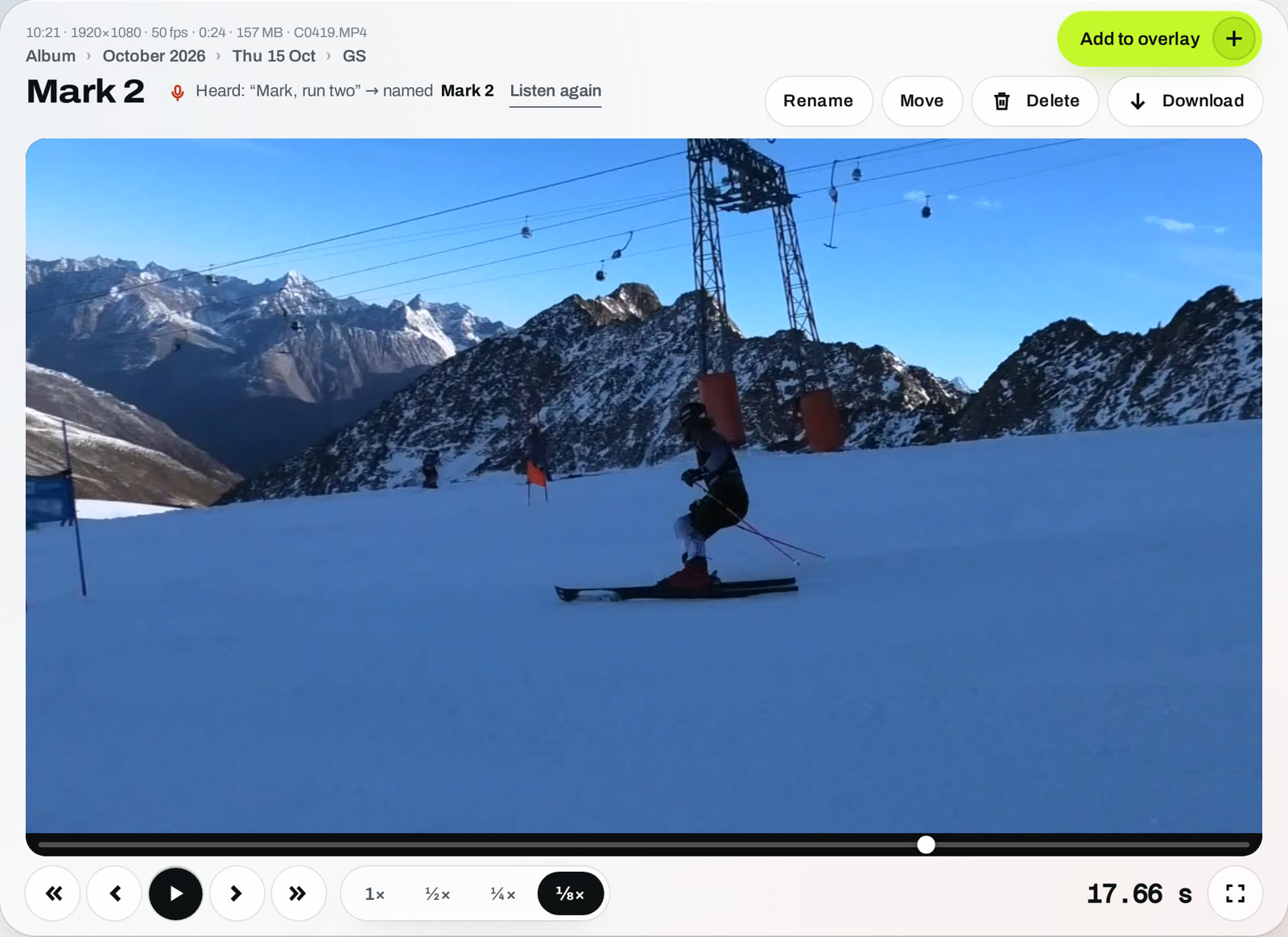
Step through the run one frame at a time and see exactly what happens at every gate.
Slow motion down to ⅛×
Smooth on a phone at the hill and on a laptop in the evening.
Two runs, one video
Found a good run? Add to overlay — compare it with another run without uploading again.
Pricing
Billed yearly. Voice naming included in every plan.
- AI voice name recognition
- Automatic sorting by date
- Unlimited athletes
- AI voice name recognition
- Automatic sorting by date
- Unlimited athletes
- AI voice name recognition
- Automatic sorting by date
- Unlimited athletes
- Need more? Add extra storage at any time.
Making overlays needs an overlay plan — see overlay pricing.
FAQ
What if my album gets full?
You see how much space you use at the top of the album. When it’s full, delete videos you don’t need or move to a bigger plan.
Which languages does voice naming understand?
21 languages, from English, German and Italian to Norwegian, Czech and Japanese — or let it detect the language by itself.
How long do you keep my videos?
In full quality for as long as your storage plan is active — nothing is deleted after 30 days. Videos you move to Trash are deleted for good after 7 days. If your plan ends, you can still watch and download your videos for 7 days (we remind you by e-mail); after that they are deleted. Keep your own copies of anything important.
Who can see my videos?
Only you — and the athletes you invite with your team link. They can watch and download, but can’t change or delete anything. You can remove anyone at any time.
What if it names a video wrong?
Rename it once. GhostLine remembers how you said the name and gets it right next time.